
Description
Bill clients, quote jobs and price your work in one calculating workbook
The Invoice, Quote & Pricing Toolkit is a single, polished spreadsheet that runs the money side of a small business without the monthly software fees. Enter your details once, add your clients, and every invoice, estimate, receipt and statement builds itself from live formulas. Line totals, subtotals, tax, grand totals and balances all recalculate the instant you change a number, so you spend your time working instead of adding up columns by hand.
It ships as a ready-to-use Excel workbook that also imports cleanly into Google Sheets, plus a separate print-ready blank invoice/quote PDF for anyone who prefers to fill a form by hand. No add-ons, no subscriptions, no macros to enable.
Most invoice templates you find online are static — a pretty layout where you still have to punch every total into a calculator and hope you did not fat-finger the tax. This one is different: it behaves like a tiny piece of billing software you fully own. Change a quantity and the line total moves; change the tax rate once and every future invoice follows; mark a payment and the balance due updates on its own. Because it is an ordinary spreadsheet file, you keep complete control of your own data with nothing living on someone else’s server.
What’s inside
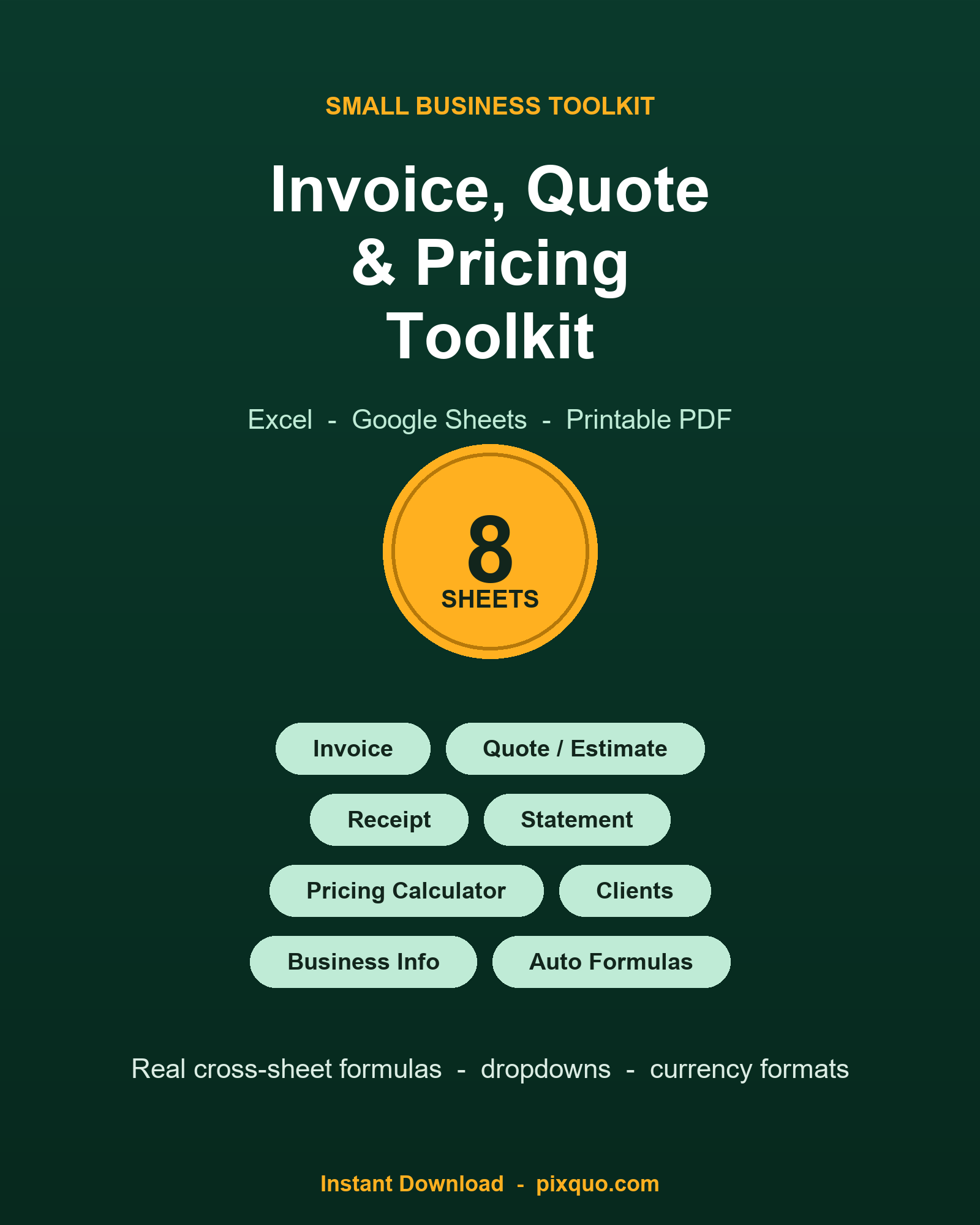
One .xlsx workbook with 8 working sheets, a 2-page printable PDF (blank Invoice + blank Estimate/Quote, US Letter), and a hero reference image. The workbook contains real cross-sheet formulas, data-validation dropdowns, currency number formats, frozen header rows and a branded deep-green header style throughout. The eight tabs are:
- Start Here — plain-English setup steps, how to duplicate a tab for each new invoice, the Google Sheets import note, and the compatibility and disclaimer notes.
- Business Info — your business name, address, phone, email, website and payment terms, a single tax-rate input cell that every document references, and a currency note.
- Invoice — auto-formatted invoice number, a Bill-To dropdown fed from your client list, invoice and due dates, 12 line-item rows (Description, Qty, Unit Price, Line Total), and a totals block: Subtotal = SUM of line totals, Tax = Subtotal x your tax rate, Total = Subtotal + Tax, an Amount Paid input, and Balance Due = Total – Paid.
- Quote / Estimate — the same clean layout re-purposed as an estimate, with a quote number, a “valid until” date, 12 line-item rows and Subtotal/Tax/Total. No paid or balance fields, because an estimate is not yet a bill.
- Receipt — a payment-received slip with receipt number, date, payment method dropdown, the invoice it settles, the amount received, and a balance-remaining formula that reads the Total straight off the Invoice sheet.
- Statement — a client account statement listing invoices with Amount, Paid and a per-line Balance formula, plus SUM totals across all three columns so you can see exactly what a client still owes.
- Pricing Calculator — five linked mini-calculators: job cost build-up (materials + labour + overhead = Total Cost), Price from a target Margin %, Price from a Markup %, Profit and implied markup, a Break-even Units calculator (fixed costs / (price – variable cost)), and an hourly-rate calculator (target income + expenses / billable hours = the rate you need to charge).
- Clients — a simple client table (name, contact, email, phone, address, notes) whose name column feeds the Bill-To dropdowns on the Invoice and Quote sheets automatically.
Who it’s for
Freelancers, sole traders, tradespeople, consultants, designers, coaches, cleaners, photographers, tutors, virtual assistants, Etsy and market sellers, and any small or side business that sends invoices and quotes and wants to know its numbers are right. If you have ever wondered whether you are charging enough, the Pricing Calculator alone earns its keep. It is equally at home for a brand-new business raising its very first invoice and for an established operator who simply wants one tidy file instead of a drawer full of mismatched templates. If you can type into a cell, you can run this toolkit — there is no learning curve and no accounting jargon to decode.
How to use it
- Set up once. Open Business Info and fill in your details and tax rate. Add customers on the Clients sheet.
- Raise a document. Go to Invoice or Quote, pick a client from the dropdown, and type your line items. Every total updates itself.
- Keep records. To save a copy of each invoice, right-click the tab, choose “Move or Copy”, tick “Create a copy”, and rename it to the invoice number. Your master tab stays blank and ready for the next one.
- Print or send. Export any sheet to PDF from your spreadsheet app, or print the included blank PDF form and complete it by hand.
Formats & compatibility
The workbook is a standard .xlsx file with no macros, so it is safe to open anywhere. It works in Microsoft Excel (Windows and Mac), LibreOffice Calc, Apple Numbers and WPS Office, and it imports into Google Sheets — upload it to Google Drive and open it, and the formulas, dropdowns and formats carry across. The printable PDF is standard US Letter and opens in any PDF viewer or annotation app such as GoodNotes, Notability or Xodo, or prints on any home or office printer. Money cells are formatted with a $ symbol by default; you can switch to any currency in a couple of clicks (details on the Start Here sheet).
Do the formulas really calculate, or is it just a picture?
They calculate. Every total is a genuine spreadsheet formula — SUM, multiplication, tax, margin, break-even and hourly-rate maths — that recalculates live as you edit the inputs. Nothing is a flat image or typed-in number.
Does it work in Google Sheets?
Yes. Upload the .xlsx to Google Drive and open with Google Sheets, or use File > Import. The cross-sheet formulas and dropdowns convert across. It is built in Excel format and is honestly described that way — Google Sheets is fully supported via import.
Are there any macros or is it safe to open?
No macros at all. It is a plain .xlsx, which means no security warnings to click through and nothing to “enable”. Open it and go.
Can I change the tax rate and currency?
Yes. The tax rate is a single input cell on the Business Info sheet, and every invoice and quote references it, so you set it once. Currency is a number-format change you can apply to the money cells; the Start Here sheet explains how.
How do I reuse it for lots of invoices?
Duplicate the Invoice tab before you send each one and rename the copy to its invoice number, so you keep a dated record of every job while the master tab stays clean. The Start Here sheet walks you through it step by step.
Is this tax or accounting advice?
No. It is a practical bookkeeping and quoting tool, not tax, accounting or legal advice. Invoice requirements, tax rates and record-keeping rules vary by country and region — please confirm your own obligations with a qualified accountant or your local tax authority.
License & instant download
This is a digital download — your files are available immediately after purchase, with nothing shipped. You may use the toolkit and the invoices, quotes and statements it produces for your own personal and small-commercial business use. You may not resell, share or redistribute the template files themselves. See more small-business templates in our Small Business Templates collection, or browse everything at pixquo.com.
Disclaimer: This toolkit is provided for general business and organisational use only and is not tax, accounting or legal advice.
Explore More Digital Tools
- Browse the full shop — planners, trackers, prompt packs and printables
- Free printables library
- Budgeting & saving guide · Planners & productivity guide
- Paper sizes & currency by country
Every Pixquo product is an instant download — no shipping, no waiting.
Reviews
There are no reviews yet.