
Description
Stop running your freelance business across six browser tabs
You know where the money is, roughly. You know which project is late, probably. You know that client still owes you — you just can’t remember how much, or since when. So you keep a spreadsheet for invoices, a notes app for client details, a timer you forget to start, a folder of drafts named proposal-final-v3-REAL.docx, and a nagging feeling that you did eleven hours last month nobody ever paid you for.
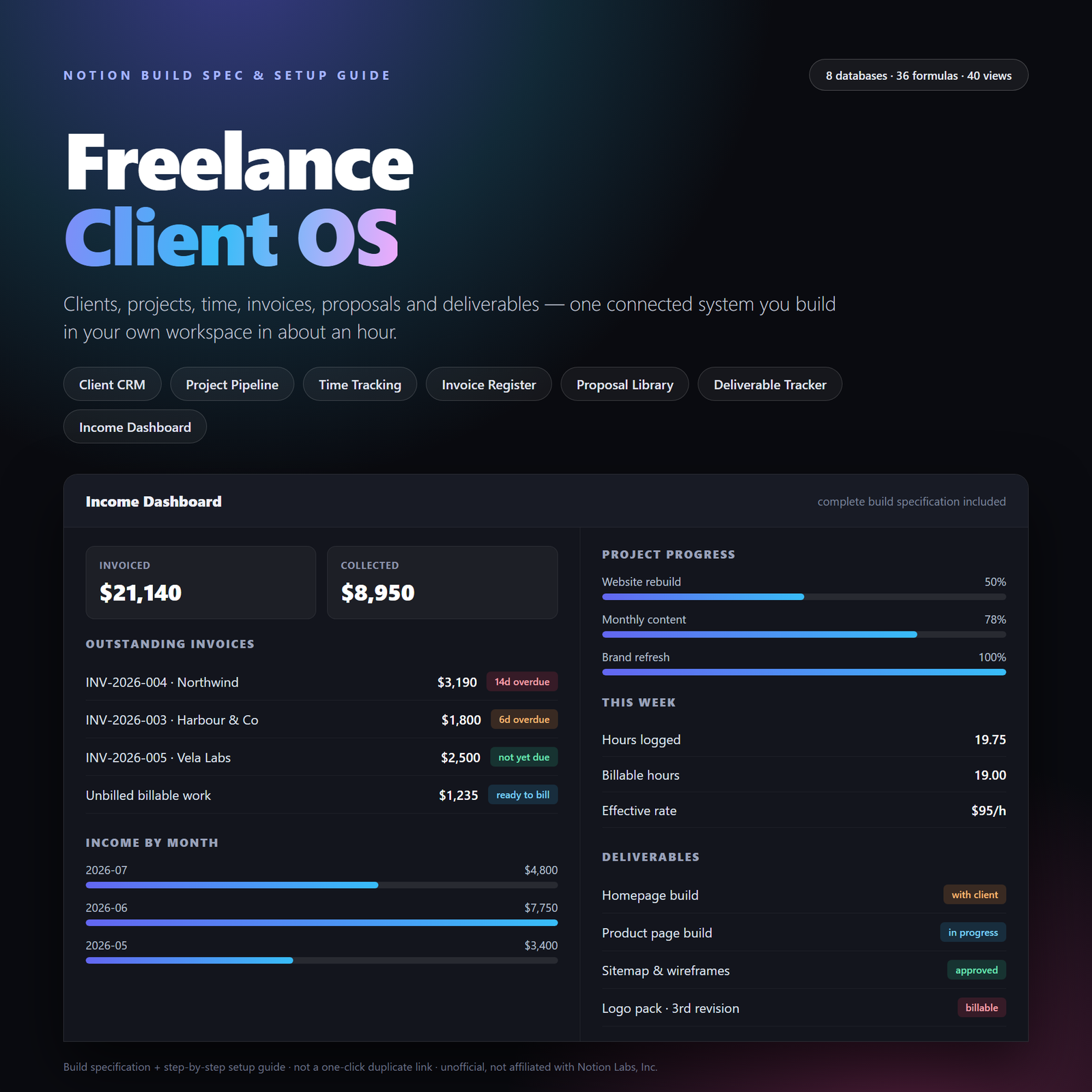
Freelance Client OS closes those gaps. Seven connected modules — clients, projects, time, invoices, proposals, deliverables and an income dashboard — wired so that logging one time session updates your project’s hours, budget variance, unbilled total and that client’s lifetime value in the same moment. You build it in your own Notion workspace in about an hour, and then it is yours.
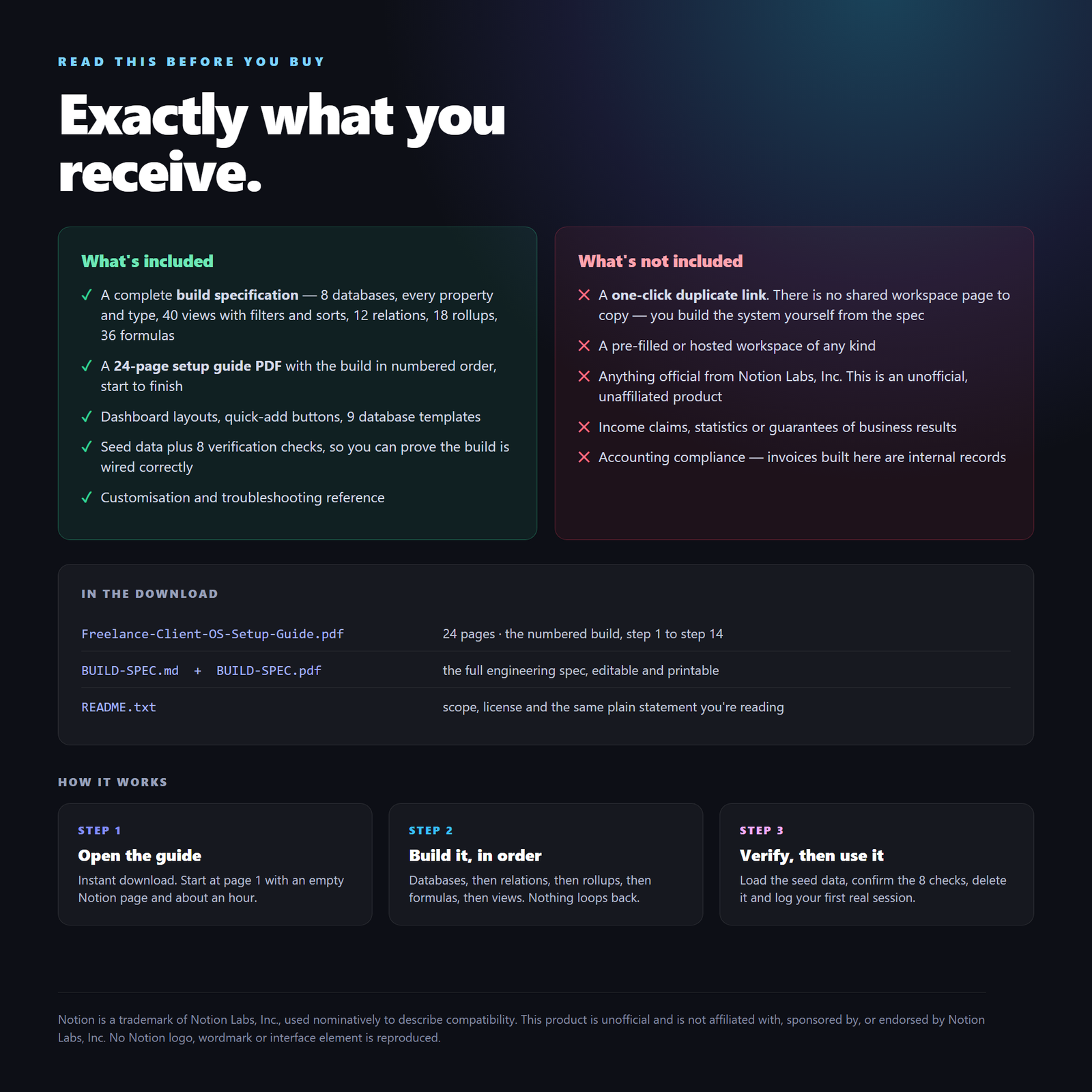
What you receive — read this before you buy
This product is a complete build specification and a step-by-step setup guide PDF — documents describing, property by property and formula by formula, how to construct the system in your own workspace.
This is not a one-click duplicate link. There is no shared workspace page to press “Duplicate” on. You build the system yourself from the numbered steps — roughly an hour on a desktop browser, on a free Notion plan. It is also not an official Notion product; it is unofficial and unaffiliated.
The trade-off is honest in both directions. You spend an hour building instead of thirty seconds copying. In exchange you understand every relation, rollup and formula in your own system — so you can change it, extend it and fix it when your business changes shape, instead of being stuck with a black box you’re afraid to touch.
Inside the download: the 24-page setup guide PDF, the full build spec in both Markdown (copy formulas straight out of it) and PDF, and a README stating scope and license in plain language.
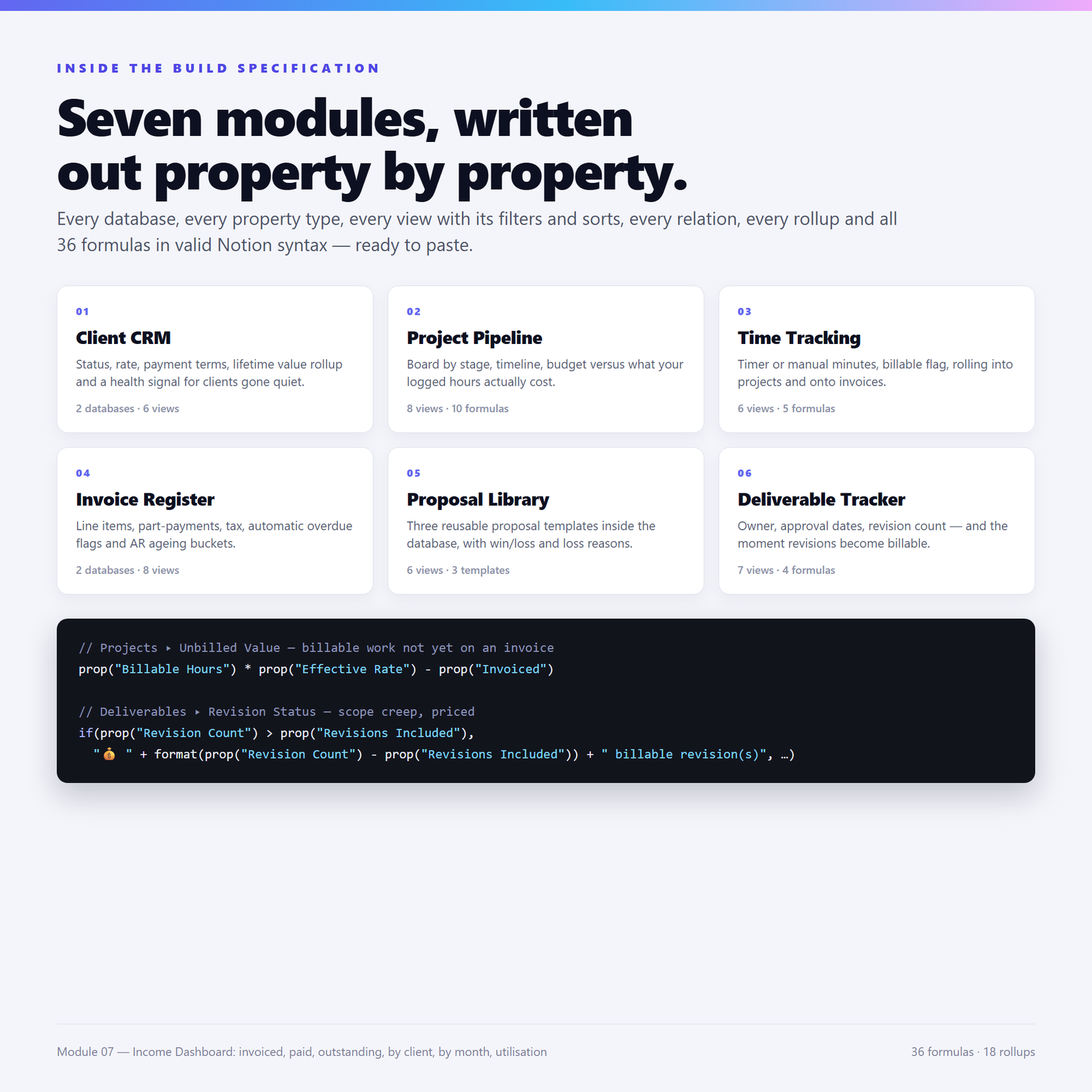
What’s inside — the seven modules
1 · Client CRM. Two databases — clients and the contacts inside them. Status, client type, default rate, currency, industry, payment terms. Then the parts that earn their keep: lifetime invoiced and lifetime paid rollups, an outstanding formula, an effective rate showing what you genuinely earned per hour on that client regardless of what you quoted, and a health signal flagging anyone who owes you money, has gone quiet, or both.
2 · Project Pipeline. A board grouped by stage, a delivery calendar, a timeline grouped by client, and — the important one — the budget you agreed against what your logged hours actually cost at your rate. Budget variance, budget used %, hours variance, a timeline flag counting days to the deadline, a completion % driven by deliverables actually approved rather than by optimism, and an unbilled value showing billable work you’ve done but not yet invoiced.
3 · Time Tracking. Sessions that work either way you really track time: start and end timestamps if you remember to run a timer, or manual minutes if you write it up at day’s end. The duration formula handles both. Billable flag, work type, and rollups into both the project and the invoice — so a session flows from “logged” to “billed” and can never quietly be forgotten or billed twice.
4 · Invoice Register. Invoices plus their line items. Number, client and project relations, lines with quantity and unit price, subtotal, tax, discount, total, part-payment support and paid date. Then days overdue, an overdue flag showing at a glance who to chase, and an age bucket formula giving you a proper accounts-receivable ageing board — current, 1–30, 31–60, 61–90, 90+.
5 · Proposal Library. Three full proposal skeletons built as templates inside the database — fixed-price, monthly retainer, and discovery/audit. Duplicate one, change the client, the scope bullets and the number, and send it in fifteen minutes instead of two hours. Plus win/loss tracking, a days to decide formula revealing your real sales-cycle length, an expiry flag, and a loss-reason board that turns twenty rejections into pricing research.
6 · Deliverable Tracker. Per-project deliverables with owner, status, format, and three dates answering three different questions: due (am I late?), submitted (when did the ball leave my court?) and approval (when did they finally sign off?). The gap between the last two is your turnaround days — evidence for the next conversation about why the project ran long. Plus a revision status formula that flips to “billable” the moment revisions exceed what your contract included.
7 · Income Dashboard. No new database — just linked views and rollups, so nothing needs maintaining. Invoiced this year, collected this year, outstanding now. Overdue invoices to chase, unbilled work to invoice, income by month, income by client with hours and effective rate side by side, weekly utilisation, and proposal win rate by value.
Who this is for
Freelancers, consultants, contractors, designers, developers, writers, coaches and small studios — anyone billing more than one client and currently holding the whole picture together in their head. It suits you especially if you bill hourly or on fixed-price projects with scope that creeps, if you’ve discovered unbilled work weeks late, or if you’ve stopped chasing an invoice because you weren’t sure how overdue it was.
It is not for you if you want one button to press and never look at again. This is a system you build, and therefore understand.
How to use it
Open the setup guide, keep the Markdown spec in a second window, and work through Steps 1 to 14 in order. The build order is dependency-safe: a rollup is never asked for before its relation exists, nor a formula before the rollup it reads. Eight databases, then twelve relations, eighteen rollups, thirty-six formulas, forty views, then templates and dashboards.
Step 14 is the one people skip and shouldn’t: load the seed data and confirm the eight verification checks. If Website rebuild ▸ Hours Logged reads 19.75 and Completion % reads 50%, your wiring is correct and every number the system shows you can be trusted from then on.
Formats & delivery
Instant digital download. Three documents: a 24-page setup guide PDF (US Letter), the build specification as both Markdown and PDF, and a plain-text README. No software to install, no subscription, no account beyond your own Notion login.
License
Personal / single-user commercial license. Build it in your own workspace and use it to run your own freelance or consulting business, including paid client work. You may not resell, redistribute or republish the specification, the guide, or a template built from them as your own product, bundle or course bonus. Full terms are in the README and on the guide’s final page.
Frequently asked questions
Is this a ready-made Notion duplicate link?
No — and this is the most important thing to understand before buying. You receive a complete build specification and a step-by-step setup guide: documents telling you exactly how to construct the system. There is no shared Notion page to duplicate and nothing to press “Duplicate” on. You build it yourself, in your own account, in about an hour. If you specifically want a one-click copy, this product is not that.
Is this made by Notion, or affiliated with them?
No. This is an independent, unofficial product. Notion is a trademark of Notion Labs, Inc., referred to here only nominatively — to identify the software the specification is written for. No Notion logo, wordmark, screenshot or interface element appears anywhere in it.
Do I need a paid Notion plan?
No. Every property type used — relation, rollup, formula, status, button — works on the free Personal plan. Build on a desktop browser; using the finished system on mobile is fine.
How long does it actually take to build?
About an hour if you’re comfortable in Notion, closer to ninety minutes if you’re not. You can stop after any step — the build order never leaves the system broken. The longest stretch is entering the thirty-six formulas, and they’re all written out ready to paste.
What if I get stuck or something doesn’t work?
The guide has a full troubleshooting section covering the failures that actually happen: red formula error banners (almost always a property-name mismatch), rollups reading zero when data exists (almost always the wrong target property), stale rollup chains, flag filters catching nothing, and board views missing swimlanes. Step 14’s eight checks are built so a wrong number tells you precisely which rollup to inspect.
You might also like
- Freelancer OS — the wider freelance operations system
- Consultant Client Portal — a client-facing layer for engagements
- Consultant Finance Tracker — income, expenses and tax set-aside
Free guides: Digital Product Side Hustles · Planners & Productivity.
Trademark note: Notion is a trademark of Notion Labs, Inc., used nominatively for compatibility. This product is unofficial and is not affiliated with or endorsed by Notion Labs, Inc.
Explore More Digital Tools
- Browse the full shop — planners, trackers, prompt packs and printables
- Free printables library
- Budgeting & saving guide · Planners & productivity guide
- Paper sizes & currency by country
Every Pixquo product is an instant download — no shipping, no waiting.


Reviews
There are no reviews yet.