
Description
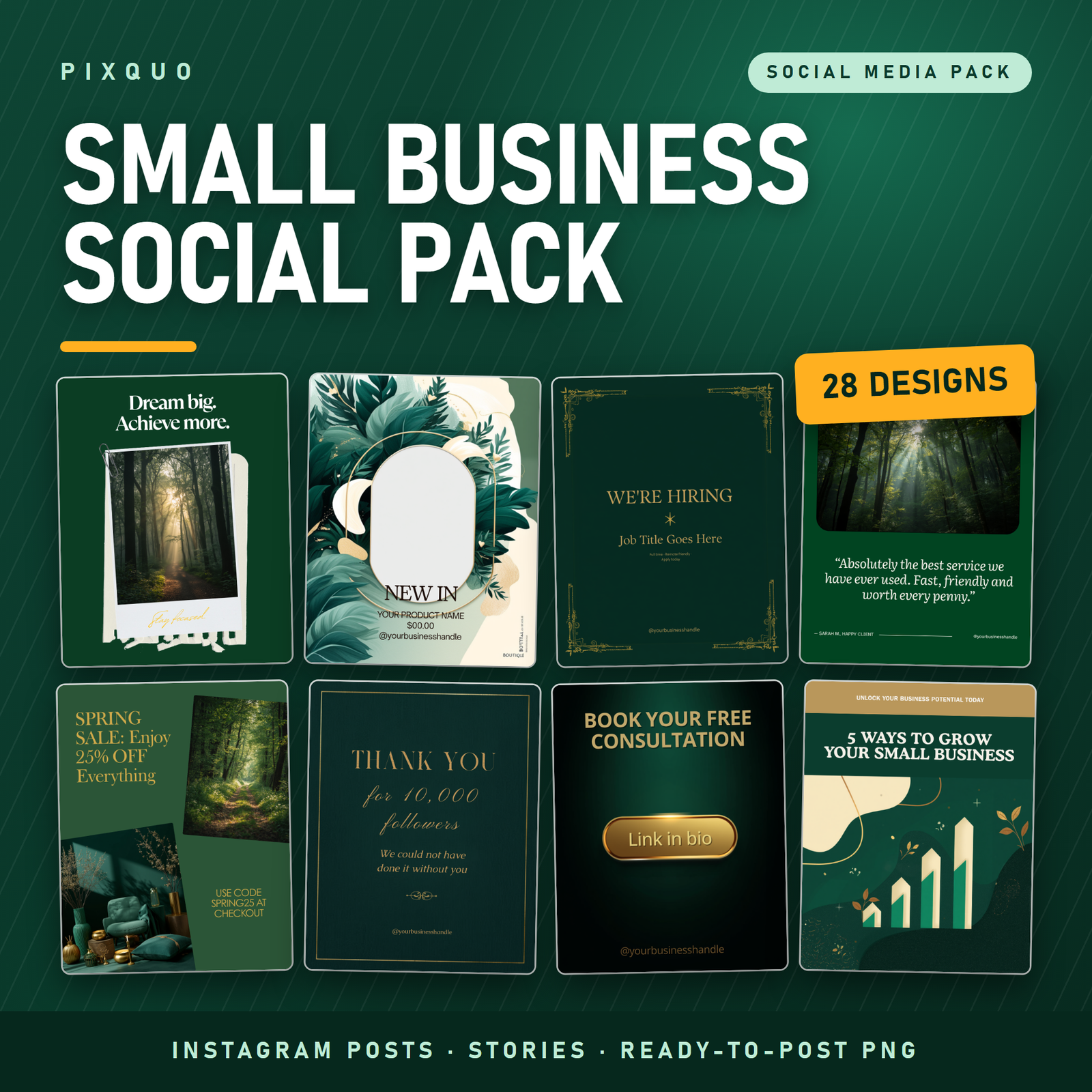
Twenty-eight ready-to-post social media designs for small businesses — finished PNG images you can upload today, in one calm deep-green and gold look that makes a scrappy feed look deliberate.
Most small business owners do not have a design problem. They have a Tuesday problem. It is 9pm, the shop is closed, the admin is done, and the feed has not been touched in eleven days. You open Canva, stare at three thousand templates, change a font twice, and close the laptop. Nothing gets posted. Again.
This pack is built for that exact moment. It is a set of 28 finished designs — already laid out, already colour-matched, already sized correctly for Instagram — covering the posts small businesses actually need to make: the promo, the testimonial, the new product, the hiring call, the thank you, the “we’re closed Monday” announcement. You pick one, add your words on top, and post it.
Please read this before you buy: these are flat PNG images
We want you to know exactly what lands in your download folder, because it changes how you use this pack.
These are flat, flattened PNG image files. They are not editable Canva templates. There is no Canva template link in this product. You cannot open these files inside Canva and retype the text that is already on them. If a design says “@yourbusinesshandle”, that wording is part of the picture.
That is deliberate, and it is why this pack is priced the way it is rather than at the $30–$50 that editable template libraries sell for.
Here is how people actually use them:
- As a layout base. Drop the PNG into whatever you already use — Canva, Figma, Photoshop, PowerPoint, Keynote, Instagram’s own story editor, or a free tool like Photopea or GIMP — and lay your own text over the top. Every layout leaves deliberate clear space for this. It takes about forty seconds.
- Straight out of the box. Several designs, especially the quote posts, carry no business-specific placeholder at all. Those you can post immediately with nothing changed.
If what you need is a file where you can click the text and retype it inside Canva, this is honestly not the right product for you, and we would rather tell you that here than have you find out after checkout.
What is inside the download
One ZIP file containing 28 PNG images, sorted into two folders, plus a plain-English read-me.
25 Instagram post designs — 1080 x 1350 px
Sized at 4:5 portrait, which is the tallest ratio Instagram will show in the feed without cropping, so your post takes up the most possible screen space as someone scrolls.
- Quote posts (3) — bold typographic motivational designs. These need no editing at all. One uses a photo-and-polaroid treatment, two are pure type on deep green.
- Promo and sale announcements (2) — a spring-sale layout with room for a discount and a code, and a gold-framed announcement card.
- Coming-soon announcements (2) — for launches, restocks and reopenings.
- Customer testimonial frames (3) — one elegant type-only card, one with a photo panel, one with a star rating. Drop a real customer quote on top.
- Product showcase frames (4) — each has a large empty photo shape (circle, arch, rounded rectangle, botanical wreath) sitting ready for your product photo, with space beneath for a name and price.
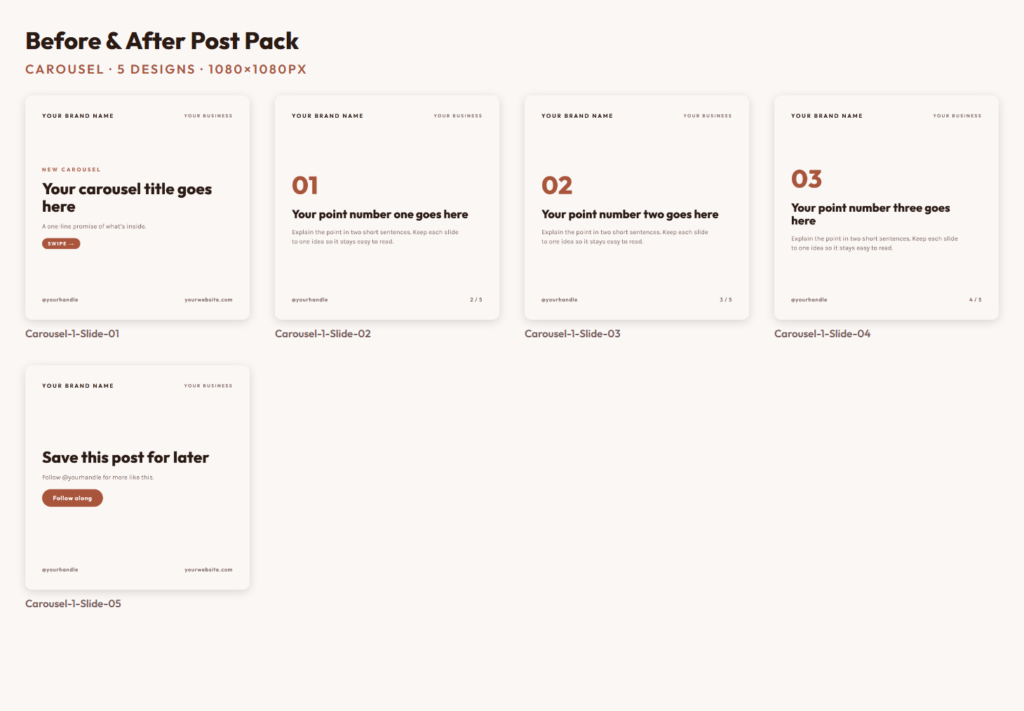
- Tips and carousel covers (2) — designed as the opening slide of a carousel, one botanical, one with a chart illustration.
- Hiring posts (3) — a bold type version, an ornate gold-framed version, and a photo-card version.
- Event invitation (1) — for workshops, launch nights, markets and open days.
- Thank-you milestone (1) — for follower counts, anniversaries and birthdays.
- FAQ card (1) — question-and-answer layout for the thing customers ask you every single week.
- Call-to-action card (1) — a gold “link in bio” button design for bookings and enquiries.
- Meet-the-founder cards (2) — circular photo placeholder with room for a short introduction. These reliably outperform product posts for small brands, because people follow people.
- Before-and-after frame (1) — two side-by-side photo panels for transformations, renovations, treatments and makeovers.
3 Instagram story designs — 1080 x 1920 px
Full-bleed 9:16 vertical, correctly sized so nothing important sits under the profile bubble at the top or the reply bar at the bottom. Two new-arrival designs and one flash-sale design.
Who this is for
Bakers, florists, salons, barbers, cleaners, coaches, photographers, dog groomers, market traders, Etsy sellers, tradespeople, therapists, tutors, small cafés — anyone running the business and the marketing out of the same head, with no designer and no retainer.
It also works well for a virtual assistant or social media manager handling a handful of small clients who need a consistent visual base to build on quickly.
It is not for you if you need brand-matched files in your own colours, or if you need to edit the text inside Canva. Read the section above again if you skipped it.
How to use them
- Download the ZIP and unzip it. Everything is inside two clearly named folders.
- Open the read-me. It takes ninety seconds and explains the placeholder wording.
- Pick the design that matches what you want to say this week.
- Open it in whatever editor you already use, drop your own text and photo on top, and export.
- Post it. Then repeat next week with a different design so the feed stays varied but still looks like one brand.
A tip worth more than the pack itself: pick three designs and rotate them on a fixed weekly schedule rather than trying to use all 28 at once. Consistency reads as professionalism far more than variety does.
Formats and technical details
- File type: PNG (flattened, RGB)
- Posts: 1080 x 1350 px, 4:5 portrait
- Stories: 1080 x 1920 px, 9:16 vertical
- Delivery: one ZIP archive, instant download after checkout
- Works with: any tool that opens a PNG — Canva, Figma, Photoshop, Photopea, GIMP, PowerPoint, Keynote, Instagram, Facebook, LinkedIn, Pinterest
- Not included: editable source files, Canva template links, fonts, and the stock photographs shown are part of the flattened design rather than supplied separately
Carry on building your setup
Designs solve the “what does it look like” problem. These three solve the “what do I actually say, and when” problem:
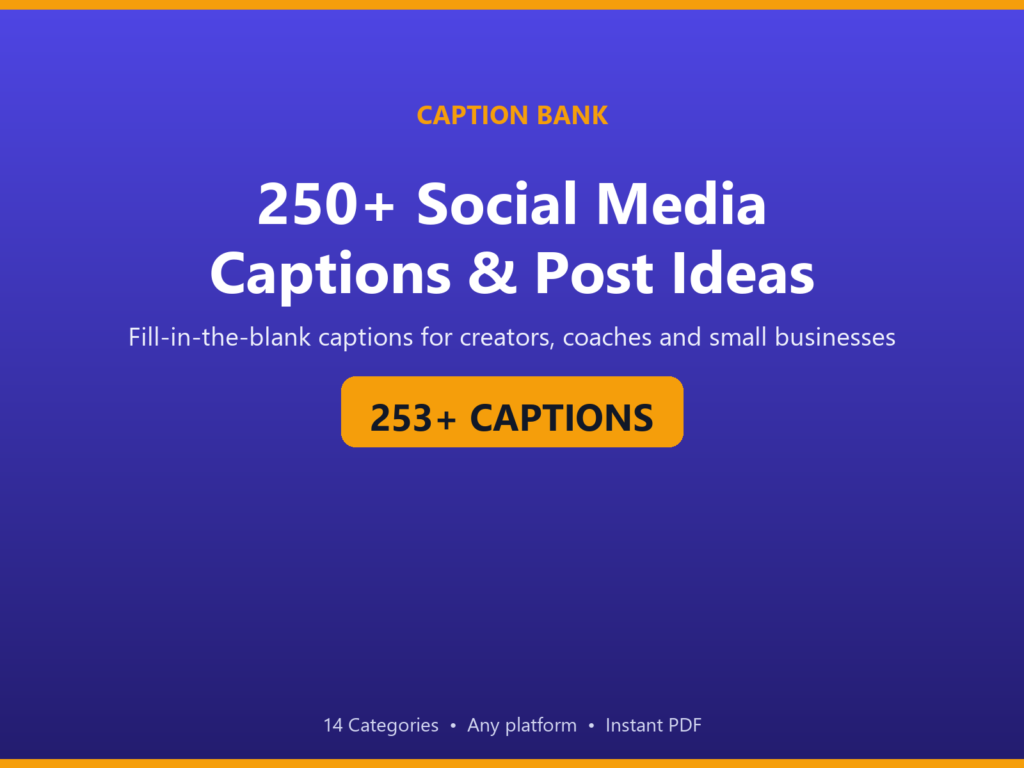
- 425 AI Prompts for Content Creators & Social Media — hooks, captions and scripts, so the caption box stops being the hard part.
- Agency Content Calendar Notion Template — plan and schedule a month of posts in one view.
- Content Creator Business Dashboard — track what you posted against what it actually did.
Two free guides worth reading before you price anything of your own:
Frequently asked questions
Can I edit the text in Canva?
No. These are flat PNG images, and no Canva template link is included. The wording that appears on a design is baked into the picture and cannot be retyped inside Canva. What you can do is open the PNG in Canva (or any other editor) as an image and place your own text on top of it — the layouts are built with clear space for exactly that. If you specifically need click-and-retype Canva templates, please do not buy this pack.
Why do some designs say “@yourbusinesshandle” or “YOUR PRODUCT NAME”?
Those are placeholder captions showing where your own wording is meant to go. Because the files are flat images, you cover them with your own text in whatever editor you use rather than replacing them in place. A number of designs — the quote posts in particular — have no placeholder wording at all and are ready to post as they are.
Can I use these for my clients, or for a business I run with someone else?
Yes. You can use the designs for your own business or for client work, online and in print, commercially, with no time limit and no attribution required. What you cannot do is resell, share or give away the image files themselves, or fold them into another template pack or design bundle for sale.
Will these work for Facebook, LinkedIn or Pinterest too?
Yes. The 4:5 posts upload cleanly to Facebook and LinkedIn, and the 9:16 stories work on Facebook Stories. They are PNGs, so any platform that accepts an image will accept these. They are not sized to Pinterest’s preferred 2:3 ratio, so a Pinterest pin will show with some letterboxing unless you crop it first.
How do I get my files after buying?
The download link appears on screen the moment checkout completes and is also emailed to you. It is one ZIP file. Your link does not expire and has no download limit, so you can come back for it whenever you need to. If anything goes wrong with the download, contact us and we will sort it out.
Licence, trademark and content notes
Licence: personal and commercial use for your own business or your clients’ businesses, unlimited time, no attribution needed. Resale, redistribution or sharing of the image files themselves is not permitted, including as part of another bundle.
Trademark: these designs ship as generic layouts and no trademark clearance has been carried out for anything you may add to them. If you place your own business name, slogan, logo or product name onto a design, making sure you have the right to use it — and clearing it in your own jurisdiction — is your responsibility. The example names, quotes, handles, dates and prices shown in the designs are fictional; any resemblance to a real business is coincidental.
Content: these designs were produced using AI-assisted design tools.
Instant download. Because this is a digital product delivered immediately, it is not returnable once downloaded — so please do read the note about flat PNGs above before you check out.
Explore More Digital Tools
- Browse the full shop — planners, trackers, prompt packs and printables
- Free printables library
- Budgeting & saving guide · Planners & productivity guide
- Paper sizes & currency by country
Every Pixquo product is an instant download — no shipping, no waiting.
Reviews
There are no reviews yet.