

Description
Notion has a very specific failure mode. You start with one page. Within a month you have forty, arranged by whatever seemed obvious on the day you made each one. There is a database for clients and a different one for projects and no relation between them. There is a finance page you abandoned in week three because you could not decide whether to track invoices or income. That is not a discipline problem — it is what happens when you design a system in the gaps between client calls.
This suite exists because the hard part of Notion is not using it. It is deciding what to build. Forty-five files are attached to this product, covering agency operations, startup and SaaS management, consultancy, publishing, personal knowledge and money, and local business systems for salons, restaurants, estate agents, ecommerce stores and short-let hosts. Each gives you the database structure, properties, views and relations already decided, plus a step-by-step guide for building it in your own workspace.
Read this before anything else. These are build specifications and setup guides, not one-click duplicate links. Each .zip contains a cover and a written guide — PDF and HTML in most cases, HTML only in a few — walking you through building the system inside your own Notion workspace. You are buying the architecture and the instructions, not a template you press “Duplicate” on. If a duplicate link is what you wanted, stop here and do not buy. That expectation is the single most common reason someone would be disappointed, so it is stated in the third paragraph rather than buried in a footnote.
Who this is genuinely for. Agencies and web studios who need a CRM, project hub, content calendar and reporting dashboard that actually connect. Founders and small SaaS teams who want a founder OS, sprint board, burn-and-runway tracker and onboarding portal without paying for four separate tools. Consultants and freelancers who bill by project. Authors, creators and students. And owner-operators of small physical businesses — a salon, a restaurant, a letting portfolio — currently running everything on WhatsApp and a paper diary.
Who it is not for. If you want a single template and know which one, buy that one; every file here is sold separately and linked below. If you have never used Notion, start with one system, not forty-five. And if your team already runs on Jira, HubSpot or Monday and it works, this is a lateral move dressed as an upgrade.
Everything included
Forty-five files, grouped by the kind of business they are built for. Forty-four of them are also listed individually in the catalogue and each is linked so you can inspect it first. One — the Author Business Hub — is included in the download but has no separate listing, which is why it is excluded from the price arithmetic further down.
Agency, web studio and client services
- Digital Marketing Agency OS — the widest system in this group. Clients, campaigns, deliverables and reporting in one connected structure, intended as the operational spine of a small agency rather than a single-purpose tracker.
- Agency Client CRM (Web Agency CRM) — pipeline, contacts, deal stages and client history, built around how a services business actually sells: relationships and repeat work rather than a transactional funnel.
- Web Project Manager Hub — the delivery side of the same business. Projects, phases, tasks and milestones, with the structure to see which project is quietly slipping before the client notices.
- Agency Content Calendar (Social Media Client Content Planner) — multi-client content planning, a genuinely different problem from planning your own because approval states and client ownership have to be first-class fields.
- SEO Client Reporting Dashboard — the monthly reporting layer. If you have ever rebuilt the same client report on the last working day of the month, this ends that ritual.
- WordPress Maintenance Retainer Tracker (Client Site Care Plan) — sites, plan tiers, update cycles, backups and renewal dates. Retainers are the most profitable and most forgettable revenue an agency has.
- SA Freelance Web Designer OS (Notion CRM) — a full solo-operator system: leads, proposals, projects, revisions and invoicing in one place.
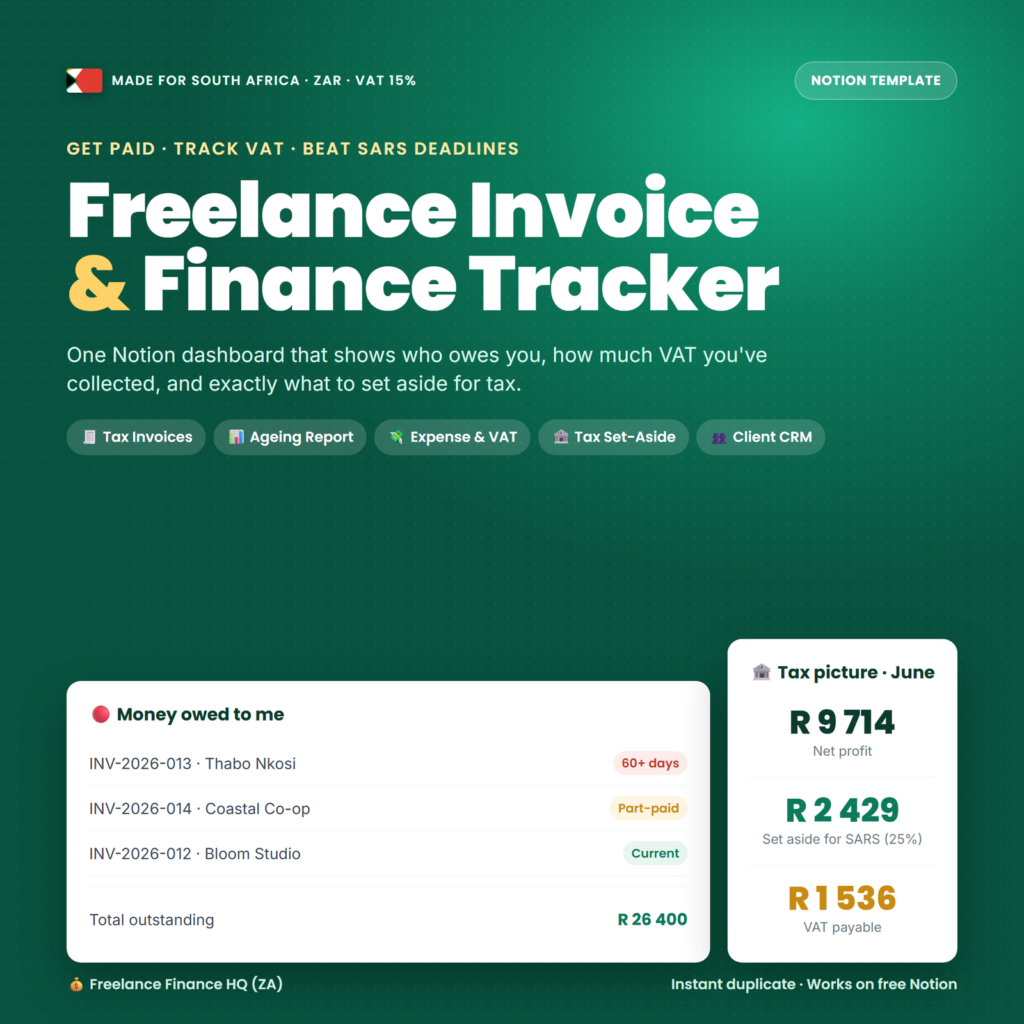
- Freelance Invoice & Finance Tracker (South Africa, ZAR, VAT 15%) — invoicing, expenses and tax built around South African VAT and SARS. Excellent if you are in South Africa, rework if you are not.
- SaaS Client Portal (Customer Onboarding) — a shareable onboarding space: what happens, in what order, who owes what. Kills more “where are we with this?” emails than anything else here.
Startup and SaaS
- Startup Business Hub — All-in-One Founder OS — the hub the other startup files hang off: tasks, priorities, company areas and the weekly operating rhythm.
- Startup Project Manager (Sprint) — sprint-shaped delivery for a team small enough that a full project management tool is overhead.
- Startup Finance Tracker — Burn & Runway — the two numbers that matter before revenue exists. Monthly burn, months of runway, and the discipline of updating both.
- Startup Client Portal (Client Dashboard) — an external-facing dashboard for early customers or design partners.
- Startup Content Planner (Content Calendar) — founder-led content planning, mostly a scheduling problem rather than a creative one.
- SaaS Business Hub — the founder hub organised around product, customers and recurring revenue.
- SaaS Project Manager — roadmap, backlog and release tracking for a small product team.
- SaaS Finance Tracker — subscription revenue, churn and costs, which behave nothing like project revenue and need their own structure.
- SaaS Content Planner — Content Marketing & SEO OS (Blog Pipeline) — a blog and SEO pipeline from idea through brief, draft, publish and refresh.
Agency module set (five connected systems)
- Agency Business Hub — the central hub for the module set below.
- Agency Project Manager — projects, tasks and delivery status.
- Agency Client Portal — the client-facing view.
- Agency Finance Tracker — retainers, project fees and outgoings.
- Agency Content Planner — the agency’s own marketing, which is always the work that gets dropped first.
Consultant and author
- Consultant Business Hub and Consultant Project Manager — the hub-and-delivery pair for an independent consultant.
- Consultant Client Portal and Consultant Finance Tracker — client-facing space and the money side.
- Consultant Content Planner and Consultant Content Planner (Notion Template) — two separate builds of the consultant content system, listed separately in the catalogue and both included here. They cover the same ground in different ways; use whichever structure you prefer.
- Author Content Planner — manuscript, chapter and publishing-schedule planning for writers.
- Author Finance Tracker — Royalty Tracker — royalties by title and platform, which is a reporting problem no general finance template handles well.
- Author Business Hub — the hub that ties the author files together. Included in the download; it has no separate product listing, so it is deliberately left out of the price arithmetic below.
Personal, knowledge and money systems
- Second Brain OS — notes, references, projects and areas in a connected structure. The general-purpose one, and the file most people open first.
- Money OS — personal income, spending, savings goals and net worth.
- Freelancer OS — the solo version of the agency stack: clients, projects, invoices and time in one workspace.
- Creator Hub — content ideas, pipeline, publishing schedule and platform tracking for a solo creator.
- Student OS — modules, assignments, deadlines and revision planning.
Local and niche business systems
- Small Business Ops Hub — a general operations hub for an owner-operated business with a handful of staff.
- Salon & Spa Client Booking Manager — clients, bookings, services and repeat-visit tracking.
- Restaurant Operations Manager — rotas, suppliers, stock and daily operations.
- Real Estate Agent Deal Tracker SA — listings, viewings, offers and commission pipeline.
- Ecommerce Store Operations OS — products, suppliers, orders and the operational side of an online store.
- Coach Consultant Client OS — client roster, session notes, packages and progress for coaches.
- SA Startup Founder OS — a founder operating system with South African context.
- Airbnb Host Management System ZA — properties, bookings, cleaning turnarounds and income per unit for short-let hosts.
What it costs versus buying the pieces
Here is the arithmetic, computed from today’s listed catalogue prices, with nothing padded.
Forty-four of the forty-five attached files are listed individually. Nine of them are priced at $16.16 ($145.44), eighteen at $8.05 ($144.90), and seventeen at $13.46 ($228.82). The honest component total is $519.16. The forty-fifth file, the Author Business Hub, has no separate listing and is therefore excluded from that figure entirely — it comes with the purchase, it is not part of the maths.
Compare $519.16 with the price shown above and decide from that comparison. That is the whole test, and this page will not run it for you with a crossed-out number nobody was ever charged. If the listed price sits well below $519.16, the suite is doing what a bundle should. If it does not, buy the five or six systems you would genuinely build and leave the rest.
There is a harder question than the discount: how many of forty-five systems will you actually build? Most buyers build three to six. If you would only ever build two, two individual purchases at $8.05 or $13.46 beat any bundle. The suite earns its place for operators who need a connected stack — CRM plus projects plus finance plus reporting — and for people who want the option to build something different next quarter without shopping again.
Which part suits which operator
The small agency or web studio. Your stack is five files: Agency Client CRM for pipeline, Web Project Manager Hub for delivery, Agency Finance Tracker for money, SEO Client Reporting Dashboard for the monthly report, and WordPress Maintenance Retainer Tracker if you sell care plans. Build the CRM first — everything else references clients, and starting there avoids the most common Notion rebuild.
The startup founder before revenue. Startup Business Hub, Startup Finance Tracker for burn and runway, Startup Project Manager for sprints. Three files, and you could honestly stop there for a year. The client portal matters when you have design partners; the content planner when you start founder-led marketing.
The independent consultant. Consultant Business Hub and Consultant Finance Tracker are the pair that matter. Build the client portal the moment a client asks for status updates more than once a fortnight — it converts a recurring interruption into a link you send once.
The solo freelancer. Freelancer OS on its own may be all you need, and it is $13.46. Be honest about that before buying a forty-five-file suite. If you are in South Africa and VAT-registered, the ZAR invoice and finance tracker is what justifies more.
The owner-operator of a physical business. Salon, restaurant, letting portfolio, estate agency, online store — build the one that matches your business, then add Small Business Ops Hub above it. These replace a paper diary and a WhatsApp thread, which is a bigger upgrade than any agency system here delivers.
The person who just wants their life organised. Second Brain OS and Money OS. Two files, $26.92, done. Everything else here is business infrastructure you will not use.
Your first week
Day 1 — download and triage (30 minutes). Unzip everything into one folder. Open the guides for the systems that match your business and skim them. Then pick exactly one to build first. Picking one is the entire discipline; opening forty-five guides in a week is how people end up building nothing.
Day 2 — build the hub (60-90 minutes). Follow the guide for your chosen hub system end to end — the databases, the properties, the views. Do not improve on it while building. Improvements come after you have used it, and improvements made during construction are usually just delays wearing a costume.
Day 3 — load real data (45 minutes). Put your actual clients, actual projects or actual money into it. Not sample data. A structure with real content in it survives; an empty structure gets abandoned by Friday.
Day 4 — build the second system and relate it (60 minutes). Add the system that connects to the first — usually projects if you built a CRM, or finance if you built a hub — and create the relation between them. The relation is the point. Two unlinked databases are two lists.
Day 5 — build one view you will actually look at (30 minutes). A filtered board or table that answers one real question: what is due this week, which invoices are unpaid, which client has not been contacted in thirty days. Make it the default view.
Days 6 and 7 — use it, then fix only what irritated you (45 minutes). Run a normal working day inside the system and change nothing while you do. Then make the three changes your own use demanded, and stop. Do not start system number three this week; the guides are not going anywhere.
Formats, requirements and delivery
Every file is a .zip archive containing a cover and a written setup guide: most include a PDF guide alongside HTML versions, a handful include the HTML versions only. Open the HTML in any browser and the PDFs in any reader. Nothing to install.
You need a Notion account to build the systems. The free personal plan covers essentially everything here; paid plans matter for team editing, permissions and version history, not for the structures themselves. Nothing here is a subscription — one payment, forty-five files, kept permanently, delivered instantly by link and email.
Several files are localised to South Africa: the ZAR and VAT invoice tracker, the SA founder OS, the SA real estate deal tracker, the ZA Airbnb system and the SA small business ops hub. The structures transfer anywhere; the tax rates, currency labels and regulatory references do not, and you will need to change them.
Frequently asked questions
Are these one-click Notion duplicate links?
No, and this is the most important line on the page. Each file tells you what databases to create, what properties they need, how to relate them and which views to build; you construct the system in your own workspace by following it. If you expected a “Duplicate to my workspace” button, do not buy this. The upside of the guide approach is that you understand the structure well enough to change it; the cost is an hour or two of building per system.
Is this worth it if I only want two or three templates?
No. At $8.05 to $16.16 each, two or three individual purchases cost $16 to $48 and every one is linked above. The suite makes sense when you want a connected multi-system stack or expect to build several over the coming year. The $519.16 total is printed so you can make this call with real numbers.
Why are some files only 7 KB while others are several hundred?
The smaller archives contain the HTML cover and guide only; the larger ones also include PDF versions of the same material. The instructions are complete either way — what differs is the packaging, not whether the system is documented.
Do I need a paid Notion plan?
No. Notion’s free personal plan handles unlimited pages and databases for individual use, which covers everything in this suite. Paid plans become relevant when you need multiple team members editing, granular permissions, or page version history — all of which are Notion features, not features of these guides.
Can I use the systems for client work, or resell the templates?
Build them for your own business freely, including client-facing portals you share with your own clients. Reselling the guides, redistributing the files, or repackaging these structures as your own Notion template product is not something this page grants permission for, and inventing a detailed commercial licence here would be dishonest. If you intend to sell Notion templates, check the store’s published licence terms first.
Several templates are South African. Can I use them elsewhere?
The structures transfer perfectly well — a deal tracker is a deal tracker. What does not transfer is the 15% VAT logic, the ZAR currency labels and the SARS-oriented tax fields in the freelance invoice tracker. Expect to edit those. If you are not in South Africa, treat those five files as a bonus rather than as a reason to buy.
What is the refund position on a large digital purchase?
Files are delivered instantly and cannot be returned once downloaded, so treat the sale as final. That is exactly why this page names all forty-five files, links forty-four to their own listings, states plainly that they are build guides rather than duplicate links, and prints the honest component total. Inspect anything you are unsure about first; beyond that, the store’s published terms apply.
Do I get future Notion templates added to the catalogue for free?
No. You are buying the forty-five files listed here as they exist today. New templates released later are sold separately. Perpetual-free-updates promises on one-off digital purchases are usually quietly broken, so one is not being made.
Two of the consultant content planners look like the same thing. Are they?
They cover the same ground in two different builds and are two separate catalogue listings, so both are included and each is counted once in the arithmetic. Build whichever structure you prefer. Pretending they were distinct products would be padding, so they are flagged instead.
The short version
Forty-five Notion build guides covering agency, startup, SaaS, consulting, publishing, personal and local-business systems, with a genuine component total of $519.16 across the forty-four individually listed files. They are setup guides, not duplicate links. Measure that total against the price above, be honest about how many systems you will really build, and buy accordingly.
If you want to compare first, browse Notion templates individually, look at the rest of the bundles, consider the Creator & AI Business Bundle if you want prompt packs alongside business systems, or browse the whole shop. Delivery is instant — you can have your first system built tonight.
Explore More Digital Tools
- Browse the full shop — planners, trackers, prompt packs and printables
- Free printables library
- Budgeting & saving guide · Planners & productivity guide
- Paper sizes & currency by country
Every Pixquo product is an instant download — no shipping, no waiting.
Reviews
There are no reviews yet.