
Description
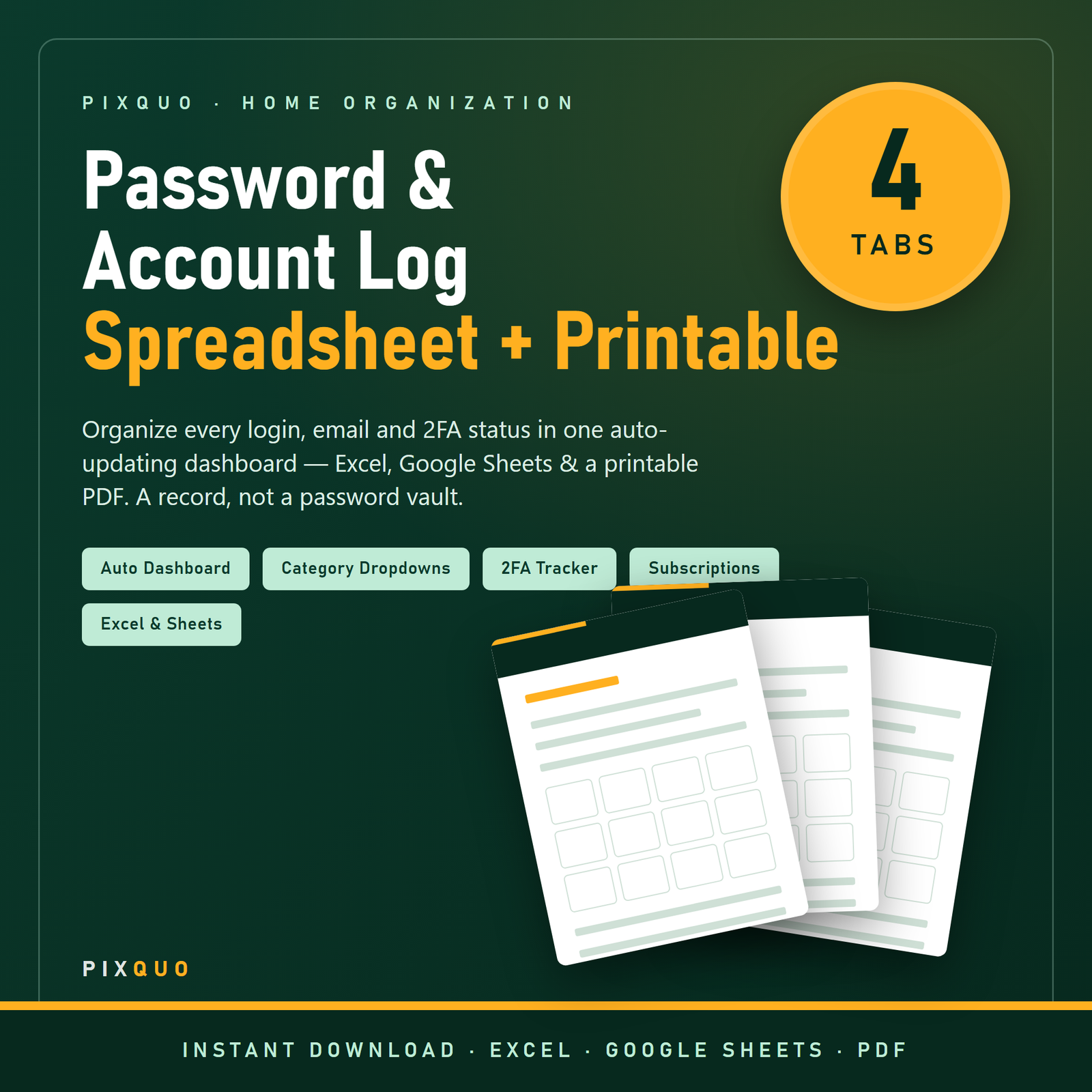
Finally know every account you have — without ever writing down a live password. The Password & Account Log is a home-organization system for your digital life. It gives you one tidy, auto-updating dashboard of which online accounts you own, which email each one uses, whether two-factor authentication is switched on, and what you are paying for in subscriptions.
⚠ Important — this is a record, not a password vault. By design it stores no real passwords, PINs, or security-question answers. For your actual passwords, always use a dedicated encrypted password manager (such as Bitwarden, 1Password, or KeePass). This product helps you take inventory of your accounts and turn on better security — the Instructions tab explains exactly why live credentials should never live in an unencrypted file.
What’s inside — 4 tabs + a printable
- Dashboard — a live summary that counts your total accounts, how many have 2FA turned on, how many still need it, and a breakdown by category. Every number updates automatically from your entries.
- Account Log — one row per account: service, category (dropdown), username, email used, a hint to your security question (never the answer), last-4 of a recovery number, a 2FA status dropdown, last-updated date and notes.
- Subscriptions — track paid accounts, billing cycle, cost, renewal date and auto-renew status, with an annual-cost formula and a running total so nothing renews by surprise.
- Instructions — a plain-English security briefing and setup guide.
- Printable PDF backup — an “Account & Login Record”, a “Subscriptions & Renewals” sheet, and a password-safety checklist, in both US Letter and A4.
Why people love it
Most of us have 100+ online accounts and no idea where they all are. This log helps you find dormant accounts to close, spot where two-factor authentication is missing, and cancel subscriptions you forgot you were paying for — all without creating a risky “password file.” It is a security upgrade, not a shortcut.
Who it’s for
Anyone doing a digital declutter, families sharing account responsibilities, small-business owners tracking work logins, and people setting up a “just in case” household reference. If you have ever been locked out because you couldn’t remember which email you signed up with, this is for you.
How to use it
Open it in Excel or upload to Google Drive for Google Sheets. Delete the sample rows, then add your accounts using the dropdowns. Keep real passwords in your password manager and simply note here that the account exists and whether it is secured. Print the PDF for a paper backup you keep somewhere private.
Do a proper digital declutter
Most of us have accumulated online accounts for a decade — shops we used once, apps we forgot, newsletters, trials that quietly became subscriptions. Taking one afternoon to list them in the Account Log does three powerful things: it shows you dormant accounts worth closing to shrink your exposure, it reveals exactly where two-factor authentication is still missing, and it surfaces the subscriptions silently draining your bank each month. You end up more secure and, often, spending less — without ever creating a risky file full of passwords.
Why two-factor authentication matters
A password on its own can be guessed, reused, or leaked in a data breach. Two-factor authentication adds a second step — a code from an app or a prompt on your phone — so a stolen password alone isn’t enough to get in. The dashboard’s “2FA Still Needed” tile is designed to nudge you through switching it on for your most important accounts (email and banking first). Turning it on is free and takes a couple of minutes per account; this log helps you work through the list methodically.
A responsible household reference
Families use this as a shared record of which services the household relies on — utilities, streaming, insurance portals — so nothing important is a mystery if one person is unavailable. Because it deliberately holds no live secrets, it is safe to keep as a reference. For the actual passwords, most password managers offer secure emergency-access features designed for exactly that purpose; this spreadsheet points you toward using them rather than replacing them.
Safety do’s and don’ts
- Do record the site, your username, the email used, and whether 2FA is on.
- Do keep real passwords and security answers in an encrypted password manager.
- Don’t ever type a live password, PIN, full card number, or security answer into this file.
- Don’t email the file or leave a printed copy lying around — treat even this metadata as private.
How this differs from a password manager
A password manager stores and auto-fills your encrypted passwords; this spreadsheet does something different and complementary — it gives you a bird’s-eye inventory of your digital life. Think of it as the map, not the vault. It answers “which accounts do I even have, which email did I use, and where is my security weakest?” in a way a password manager’s long alphabetical list doesn’t, and it doubles as a subscription auditor and a household reference. Use both together: the manager for secrets, this log for the overview.
Two more questions
Can my family share this?
Yes. Because it stores no live credentials, it is safe to keep as a shared household reference of which services you rely on. Keep the file itself somewhere private all the same.
How many accounts and subscriptions can it hold?
The Account Log and dashboard formulas are set up for hundreds of accounts, and the Subscriptions sheet totals your annual cost automatically as you add rows.
Formats & compatibility
Works in Microsoft Excel and Google Sheets (formulas and dropdowns are preserved), plus a print-ready PDF in US Letter and A4. Instant download — no account required.
Pairs well with
Take control of the money side with the Personal Finance Command Center Spreadsheet, run rentals with the Rental Property & Landlord Spreadsheet, or organize the whole house with the Home Management Binder. See also our guides on budgeting & saving money and planners & productivity.
Frequently asked questions
Does this store my actual passwords?
No — and it is intentionally built that way. It records which accounts you have and their security status, not live credentials. Use a real password manager for actual passwords.
Does it work in Google Sheets?
Yes. Upload the .xlsx to Google Drive and open with Google Sheets; the dashboard formulas and dropdowns carry over.
Is the dashboard automatic?
Yes. The tiles and category counts update themselves as you fill in the Account Log — you don’t touch the formulas.
Can I print it?
Yes. A companion printable PDF (US Letter + A4) is included for a paper backup — keep it somewhere private and never write live passwords on it.
Is this a physical product?
No, it is a digital download. Nothing is shipped.
Instant download & license
This is a digital product. After checkout you will receive an instant download link — no physical item is shipped. Files are for your own personal, non-commercial use: print as many copies as you like for yourself and your household. Please do not resell, share, or redistribute the files. Colours may vary slightly between screens and printers.
Honest listing: this is a blank, fill-in-yourself printable created by Pixquo. It is not affiliated with, endorsed by, or sponsored by any brand, retailer, or company. Any product or software names are referenced only for compatibility. No results, savings, or outcomes are promised — the value is in getting organized.
Explore More Digital Tools
- Browse the full shop — planners, trackers, prompt packs and printables
- Free printables library
- Budgeting & saving guide · Planners & productivity guide
- Paper sizes & currency by country
Every Pixquo product is an instant download — no shipping, no waiting.
Reviews
There are no reviews yet.