

Description
Take back control of recurring spending. List every subscription and bill, and this tracker auto-calculates your total monthly and annual outgo, flags active subscriptions, and helps you spot what to cancel. Works in Excel and Google Sheets. Instant download.
Quick question: what does your recurring spending add up to per year — streaming, cloud storage, apps, gym, insurance, utilities, deliveries, that one service you signed up for during a free trial in 2023? If you can’t answer within $200, you’re the person this tracker was built for. Subscriptions are engineered to be forgettable: small individual amounts, spread across different cards, renewing silently on different days of the month. Individually each one is “just a few dollars.” Collectively, for many households, they quietly rival a car payment. This spreadsheet ends the mystery in about twenty minutes: you list everything once, and it tells you — in one unambiguous number — what your recurring life costs per month and per year.
Why recurring charges deserve their own tracker
Recurring billing is a business model precisely because it works on the seller’s side: as Investopedia’s overview of recurring billing notes, automatic renewals mean revenue continues unless the customer actively intervenes. The default is set against you — cancellation requires you to notice, remember, and act, while continuing requires nothing at all. Regulators have taken note too: the Consumer Financial Protection Bureau publishes guidance on disputing recurring charges precisely because so many people discover payments they didn’t realize were still active.
A general budget won’t catch this on its own. In a normal expense log, a $12.99 charge is just another line among the groceries and fuel. Recurring charges only reveal their true weight when they’re gathered in one place, converted to a common time basis, and stared at as a group. That’s the whole job of this tracker — and it’s why “subscription audit” is consistently one of the highest-return twenty-minute money tasks you can do.
What’s inside the tracker
The master list: every subscription and bill in one table
The core of the file is a clean, ready-to-fill table where each recurring charge gets a row: the service or biller name, what category it belongs to (entertainment, software, utilities, insurance, health, memberships, and so on), what it costs, how often it bills, and its status. No formulas for you to write — you type names and numbers, and the sheet does the rest. It’s deliberately simple to fill in, because a tracker only works if the setup doesn’t defeat you: most people can list their whole recurring life in one sitting with their bank statement open beside them.
Automatic monthly and annual totals
Here’s the part that produces the audible gasp. Subscriptions bill on every schedule imaginable — monthly, annually, quarterly, weekly — which is exactly what makes mental math impossible. The tracker normalizes everything for you: each entry is converted onto a common basis so you see your true total monthly outgo and your true total annual outgo, calculated automatically as you add rows. A $95.88 annual renewal shows up as its monthly equivalent; a $9.99 monthly app reveals itself as nearly $120 a year. When every charge speaks the same language, comparison — and cancellation — finally becomes easy.
Active flags and cancel-candidate spotting
Every row carries a status flag, so active subscriptions stand out from the ones you’ve already cancelled — and your totals always reflect only what’s genuinely still billing. This matters more than it sounds: keeping cancelled rows in the sheet (instead of deleting them) builds a running record of what you’ve cut and what it was costing you, which is both satisfying and useful when a service tries to win you back at a “special returning customer price.” As you review the list, the layout makes cancel-candidates almost self-identifying: the charges you frown at, the duplicates (two cloud storage plans? three streaming services with overlapping catalogs?), and the ones you genuinely forgot existed.
Bills, not just subscriptions
The tracker is built for your entire recurring life, not just streaming apps: rent or mortgage, utilities, phone and internet, insurance premiums, loan payments, childcare — anything that leaves your account on a schedule. Once bills and subscriptions live in the same list, you get the number most people have never actually seen: your total fixed monthly cost of existing. That figure is the foundation of every good budget, because it’s the part of your spending that doesn’t care how disciplined you are — it leaves whether you’re paying attention or not.
Seven places subscriptions hide
Part of running a complete audit is knowing where to look. When you sit down with the tracker, sweep all seven of these locations — most people find at least one surprise in the second half of the list:
- Credit card statements — the obvious ones: streaming, gym, news, meal kits.
- Bank account debits — utilities, insurance, and older services that bill by direct debit rather than card.
- Apple App Store subscriptions — apps billing through your Apple ID appear on statements under one generic vendor name, hiding how many there really are.
- Google Play subscriptions — the Android equivalent, with its own buried management page.
- PayPal automatic payments — a favorite hiding place for services you signed up for years ago.
- Marketplace memberships — retailer and delivery memberships that renew annually and are easy to double up on across a household.
- A partner’s cards — in most households, no single person sees every account. The tracker is where both lists finally merge.
Free trials, price creep, and the case for a quarterly check
Two forces quietly grow your recurring total even when you add nothing new. The first is the free trial that wasn’t: sign up, forget, and the billing begins — by design. The second is price creep: subscription services raise prices a dollar or two at a time, counting on the fact that no one renegotiates a charge they never look at. A tracker defeats both. When your list already exists, a quarterly five-minute review catches the trial before it converts twice and the price rise before it compounds for a year. Log the amount you’re paying today, and any future statement that disagrees with your sheet is a flag worth investigating — sometimes it’s a legitimate increase, sometimes it’s a plan change you never asked for, and occasionally it’s a charge worth disputing entirely.
There’s also a satisfying flip side: the tracker shows you what you value. Some subscriptions earn their line proudly — the one service the whole family uses daily is spectacular value at its price. The goal isn’t zero subscriptions; it’s a list where every row is a deliberate choice rather than a default you never revisited.
Who this tracker is for
- Anyone who has ever said “wait, I’m still paying for that?” — which, statistically, is nearly everyone with a card on file somewhere.
- Households trying to cut expenses without cutting joy. Cancelling a forgotten subscription is the rare budget win with zero lifestyle cost.
- Couples merging finances who need one honest list of everything that auto-renews across two sets of cards and app stores.
- Budgeters preparing a monthly plan — your Bills category is only as accurate as your knowledge of what’s actually recurring.
- Freelancers and small business owners tracking software stacks: SaaS tools multiply quietly, and this sheet is the fastest audit there is.
The psychology of the forgotten subscription
Why do smart, careful people carry charges they’d never approve if asked fresh today? Because subscription pricing is built around three well-known quirks of human attention. Small numbers don’t trigger alarm: $7.99 feels like nothing, and each charge is evaluated alone rather than as part of a group. Defaults win: continuing requires no action, cancelling requires several, and friction always favors the status quo. Out of sight is out of mind: auto-pay was invented to make payments invisible, and it works — on your memory as much as your convenience.
None of this makes subscriptions bad. It makes them asymmetric: every mechanism runs in the seller’s favor unless you build one — just one — that runs in yours. A written list with live totals is that mechanism. It converts a dozen invisible micro-decisions into one visible macro-decision you revisit on your schedule, with the full picture in front of you. That’s the entire trick, and it’s why a humble spreadsheet routinely outperforms willpower, memory, and good intentions combined.
How to run your first subscription audit (about 20 minutes)
- Open your last two or three months of bank and card statements. Two months minimum — quarterly and annual charges hide outside a single month. Check app store subscription pages (Apple, Google) too; that’s where the sneakiest ones live.
- Enter every recurring charge into the tracker. Name, category, amount, billing cycle, status. Don’t judge yet — just capture.
- Look at the annual total. Sit with it for a moment. This number is the reason you bought the tracker.
- Sort into keep / cancel / downgrade. Keep what you use and love. Cancel what you forgot. Downgrade the plans where you’re paying for tiers you don’t touch.
- Actually cancel — today. The audit only saves money when the cancellations happen. Flip each row’s status as you go and watch your monthly total drop in real time.
- Set a repeat date. A quick re-check every quarter catches new sign-ups and price increases before they compound. The sheet is already filled in, so round two takes five minutes.
Pro move: redirect the money you free up on purpose. If the audit cuts, say, $40 a month, send that $40 somewhere deliberate — a sinking fund, a debt payment, savings — rather than letting it dissolve back into general spending. Our guide to sinking funds shows exactly how to give reclaimed money a job.
What to do with the number once you have it
The audit produces two outputs: money you free up, and a fixed-costs figure you can finally trust. Both deserve a plan. The freed-up money works hardest when it’s redirected the same day you cancel — moved into savings, a sinking fund, or an extra debt payment before it can be absorbed into general spending. The fixed-costs figure, meanwhile, becomes the backbone of your budget: it’s the non-negotiable layer you build everything else on top of, and knowing it precisely means your spending plan starts from truth instead of estimates.
It also changes future decisions. Once you know your recurring total, every new “it’s only $6.99 a month” pitch gets evaluated against a visible number instead of a shrug. Some will still be worth it — that’s fine. The difference is that you’ll be choosing, with the annual cost in view, rather than accumulating by default. Households that keep the tracker current report that the quarterly review becomes oddly satisfying: a short ritual where you confirm that every recurring dollar still earns its place.
Compatibility and file details
The tracker works in Microsoft Excel and Google Sheets — formulas are compatible with both, so you can keep it on your desktop or in the cloud where the whole household can update it. It opens in LibreOffice Calc as well. Amounts are just numbers in your own currency: dollars, euros, pounds, or anything else — the math is identical everywhere. It pairs with any budgeting approach, from the budget-by-paycheck method to a classic 50/30/20 split, because every method starts with the same question this tracker answers: what are your fixed recurring costs? If you’re building out a broader paper-based system, browse our printables and planners by country hub or start with some free printable budget templates and graduate to the spreadsheet when you’re ready.
| Approach | Memory + mental math | Bank app category view | This tracker |
|---|---|---|---|
| Sees all accounts & cards | Rarely | Only that bank | Yes — you list everything once |
| Converts cycles to one basis | No — annual charges get forgotten | No | Yes — true monthly & annual totals |
| Flags what’s still active | No | No | Yes — status per row |
| Shows cancel candidates | Only when a charge annoys you | Buried in transactions | Whole list, side by side |
| Cost | Free but expensive in surprises | Free but partial | One-time, a few dollars |
Pairs well with
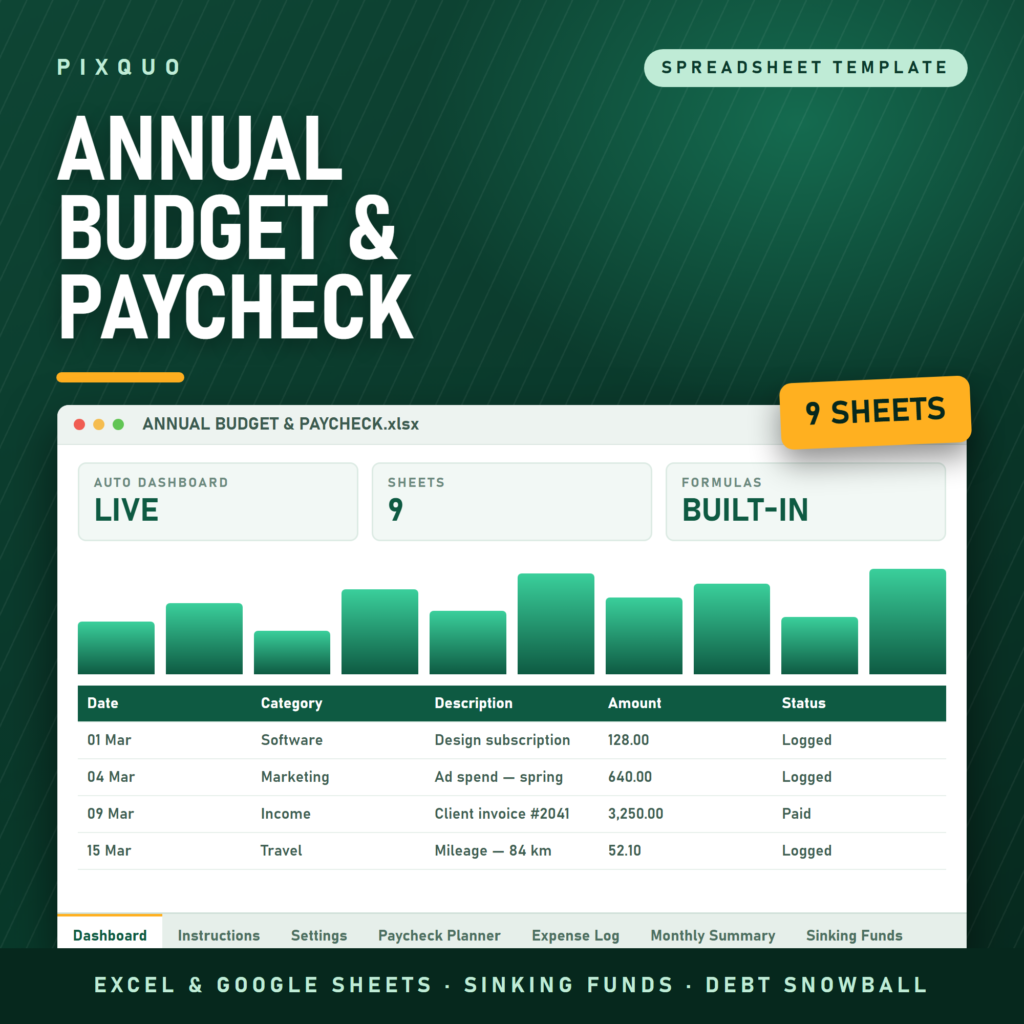
- Annual Budget & Paycheck Planner Spreadsheet — run the subscription audit first, then feed your true fixed costs straight into the paycheck planner’s Bills bucket.
- Personal Net Worth & Financial Goals Tracker — redirect what you cancel into goals you can watch grow.
- Budget Planner Printable — a pen-and-paper companion for the day-to-day spending side of the picture.
Learn more
New to structured budgeting? Start with our guide to free printable budget templates to find your style, then read the budget-by-paycheck method to see where a subscription tracker fits in a complete money system.
Frequently asked questions
Does it work in Google Sheets and Excel?
Yes, both. The formulas are compatible with Microsoft Excel and Google Sheets, and the file also opens in LibreOffice Calc. Many users keep it in Google Sheets so it’s editable from a phone — handy when you spot a surprise charge in a banking app and want to log it on the spot.
Will it handle annual, quarterly, and weekly billing cycles?
Yes — that’s the tracker’s main job. Different billing frequencies are normalized automatically so your monthly and annual totals reflect everything, including the annual renewals that are easiest to forget and most painful when they land. Once everything is on a common basis, comparing a $99/year charge against a $9.99/month one is finally an apples-to-apples decision.
Can I use it for household bills too, or only subscriptions?
Use it for everything recurring: rent, utilities, insurance, phone plans, loan payments, childcare, plus every subscription. The most valuable output is your total fixed monthly cost across all of it — the number every budget should be built on top of.
Does it connect to my bank automatically?
No — entries are manual, by design. Bank-connected apps see only the accounts you link and often miscategorize recurring charges. Twenty minutes with your statements gives you a complete, accurate list across every card and account you own, including app store subscriptions that bank feeds lump into one vendor. After setup, maintenance is a few minutes per quarter.
How much money will this save me?
Honestly: it depends entirely on what you find, and we won’t promise a number. What the tracker guarantees is visibility — your true monthly and annual recurring totals, with every charge on the table. Most people find at least something they’re happy to cancel; what that’s worth is different for every household. The savings come from the cancellations you actually make.
What do I receive after purchase?
An instant digital download of the spreadsheet file — nothing ships. Download links appear immediately after checkout and in your confirmation email, and you can re-download from your account any time.
Instant download & license
This is a digital product with instant delivery and a personal-use license: use it for yourself and your household on any of your devices, but please don’t resell, redistribute, or share the file publicly. As with all instant digital downloads, sales are final — and if anything doesn’t work as described, contact us and we’ll make it right.
Explore More Digital Tools
- Browse the full shop — planners, trackers, prompt packs and printables
- Free printables library
- Budgeting & saving guide · Planners & productivity guide
- Paper sizes & currency by country
Every Pixquo product is an instant download — no shipping, no waiting.
Reviews
There are no reviews yet.