
Description
Every listing, every lead, every commission — finally in one place. The Real Estate Agent Deal & Commission Tracker is a multi-sheet spreadsheet built for working agents who want to see their pipeline and their income clearly. Log your active listings and your buyer and seller deals, calculate your split-adjusted commission on any sale, and watch a live monthly GCI dashboard update as you go.
It’s designed to replace the scattered notes and back-of-the-envelope math most agents rely on. Enter your numbers once and the formulas do the rest — weighted pipeline value, cost per lead, ROI by lead source, and net commission after your brokerage split and referral fees.
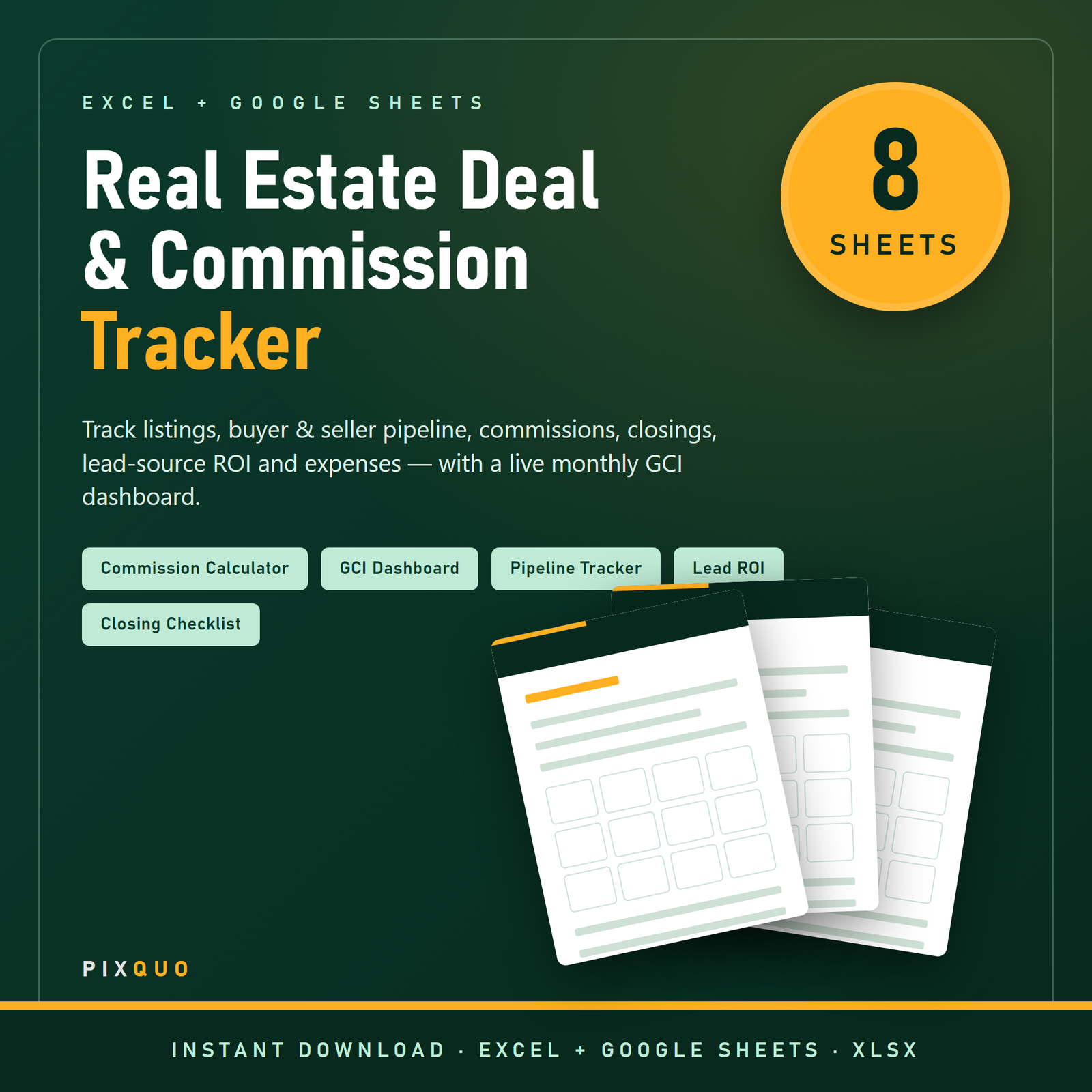
What’s inside — 8 connected sheets
- Dashboard — KPI tiles and a 12-month GCI summary that pull from every other sheet: pipeline value, closed deals, gross commission (GCI) year-to-date, average commission per deal, expenses and net.
- Active Listings — address, list date and price, status dropdown, days-on-market, commission % and estimated commission (auto-calculated).
- Buyer & Seller Pipeline — side, stage, price point, lead source, probability and a weighted value formula so you can forecast realistically.
- Commission Calculator — enter sale price, total commission %, your split, brokerage split and referral fee to get your true net on any deal.
- Closing Checklist — an ordered task list from contract to funding and keys, with responsible party, due date and status.
- Lead Source ROI — spend, leads, clients won and revenue by source, with cost per lead, cost per client and ROI % calculated for you.
- Monthly GCI — commission rolled up by close month so you can see your year take shape.
- Expense Log — categorized business expenses with a deductible flag, feeding straight into your net.
Who it’s for
Residential real-estate agents, new agents building their first systems, and small teams who want a single source of truth for deals and commissions. If you’d rather spend your time selling than rebuilding a spreadsheet from scratch, this is for you.
How to use it
Open it in Microsoft Excel or upload it to Google Sheets. Clear the sample rows (the Instructions sheet shows you how), then start entering your listings and pipeline. Use the dropdowns to keep statuses consistent, log expenses as they happen, and let the Dashboard show you where you stand — no formula-building required.
Formats & compatibility
Delivered as a single .xlsx file that works in Microsoft Excel and Google Sheets (just import it to Sheets). Formulas recalculate automatically on open. Works on Windows, Mac, and the web.
Set it up once, then just enter deals
The whole point of a tracker like this is that the math is already built. Once you’ve entered a deal, the sheets do the work: the Commission Calculator applies your split, brokerage cut and any referral fee to show your true take-home on that sale; the Pipeline sheet multiplies price, commission and probability into a weighted forecast so you’re not fooling yourself with best-case numbers; and the Dashboard rolls everything up into the figures you actually care about — closed GCI year-to-date, average per deal, and net after expenses. The dropdown menus matter more than they look: keeping statuses and lead sources consistent is what makes the Lead Source ROI and monthly summaries accurate. Enter expenses as they happen and you’ll always know your real net, not just your gross. Spend a few minutes setting it up and it quietly keeps score for the rest of the year, so your quarterly and tax-time reviews take minutes instead of an afternoon of digging.
Getting started in Excel or Google Sheets
Open the file directly in Microsoft Excel, or upload it to Google Drive and open with Google Sheets (or use File > Import) to work in the cloud. The Instructions sheet walks you through clearing the sample rows so you start from a clean slate. A good habit is to keep one untouched master copy and duplicate the workbook — or the relevant tabs — at the start of each year, so every year’s numbers stay separate and comparable. Everything lives in your own file on your own account; there’s nothing to subscribe to and no data leaves your device.
Pairs well with
Round out your business stack with the Rental Property & Landlord Spreadsheet for your own investments, the 400 AI Prompts for Real Estate Agents for faster listing copy and follow-ups, and the Small Business Bookkeeping & Tax Spreadsheet for the full-picture books.
For more on running the money side of a self-employed business, see our guides on Budgeting & Saving Money and Digital Product Side-Hustles.
Know your numbers all year
For most agents, income arrives in lumps and the year is a blur of listings, showings and closings — which makes it surprisingly hard to answer simple questions like “how much have I actually earned?” or “which lead source is worth the spend?” This tracker keeps those answers current. Every closed deal feeds the Monthly GCI table and the Dashboard, so at any moment you can see your year-to-date commission, your average per deal, and how the months compare. The Lead Source ROI sheet quietly settles the debate over where your marketing dollars go: enter what you spent and what each channel earned, and it shows you cost per lead, cost per client and return on investment, so next quarter’s budget is a decision backed by your own data.
It’s just as useful in the small moments as the big ones. Before you take a listing, the Commission Calculator shows what a given price and split actually nets you after the brokerage cut and any referral fee. Mid-deal, the Closing Checklist keeps contract-to-keys tasks from slipping. And come tax time, a year of categorized expenses with a deductible flag is already waiting in the Expense Log instead of scattered across receipts. Set it up once, keep it current with a minute or two per deal, and it becomes the single source of truth for both your pipeline and your income.
Frequently asked questions
Does it work in Google Sheets?
Yes. Upload the .xlsx to Google Drive and open it with Google Sheets, or use File > Import. The formulas carry over and recalculate automatically.
Can I change the commission splits?
Absolutely. The Commission Calculator uses your split, brokerage split and referral-fee inputs, so you can model any arrangement.
Are there example numbers included?
Yes — a few sample rows are pre-filled so the Dashboard shows live figures. The Instructions sheet explains exactly how to clear them and start fresh.
Is my data private?
Completely. It’s your own file on your own device or account — nothing is sent anywhere and there’s no login.
Do I need to be good at spreadsheets?
No. The formulas are already built. You type into labelled columns and pick from dropdowns; the calculations happen for you.
Instant download & license: Download immediately after purchase — no physical item ships. For personal, single-user business use; please don’t resell or redistribute the file. This spreadsheet is a self-help organizational tool, not financial, tax, or legal advice. Consult a qualified professional about your specific situation. Microsoft Excel and Google Sheets are trademarks of their respective owners, referenced here only to describe compatibility.
Explore More Digital Tools
- Browse the full shop — planners, trackers, prompt packs and printables
- Free printables library
- Budgeting & saving guide · Planners & productivity guide
- Paper sizes & currency by country
Every Pixquo product is an instant download — no shipping, no waiting.

Reviews
There are no reviews yet.